Q & A content block
The Q&A block is used to create FAQ content. Each individual question/answer pair should have its own Q&A block.
To create a Q&A block
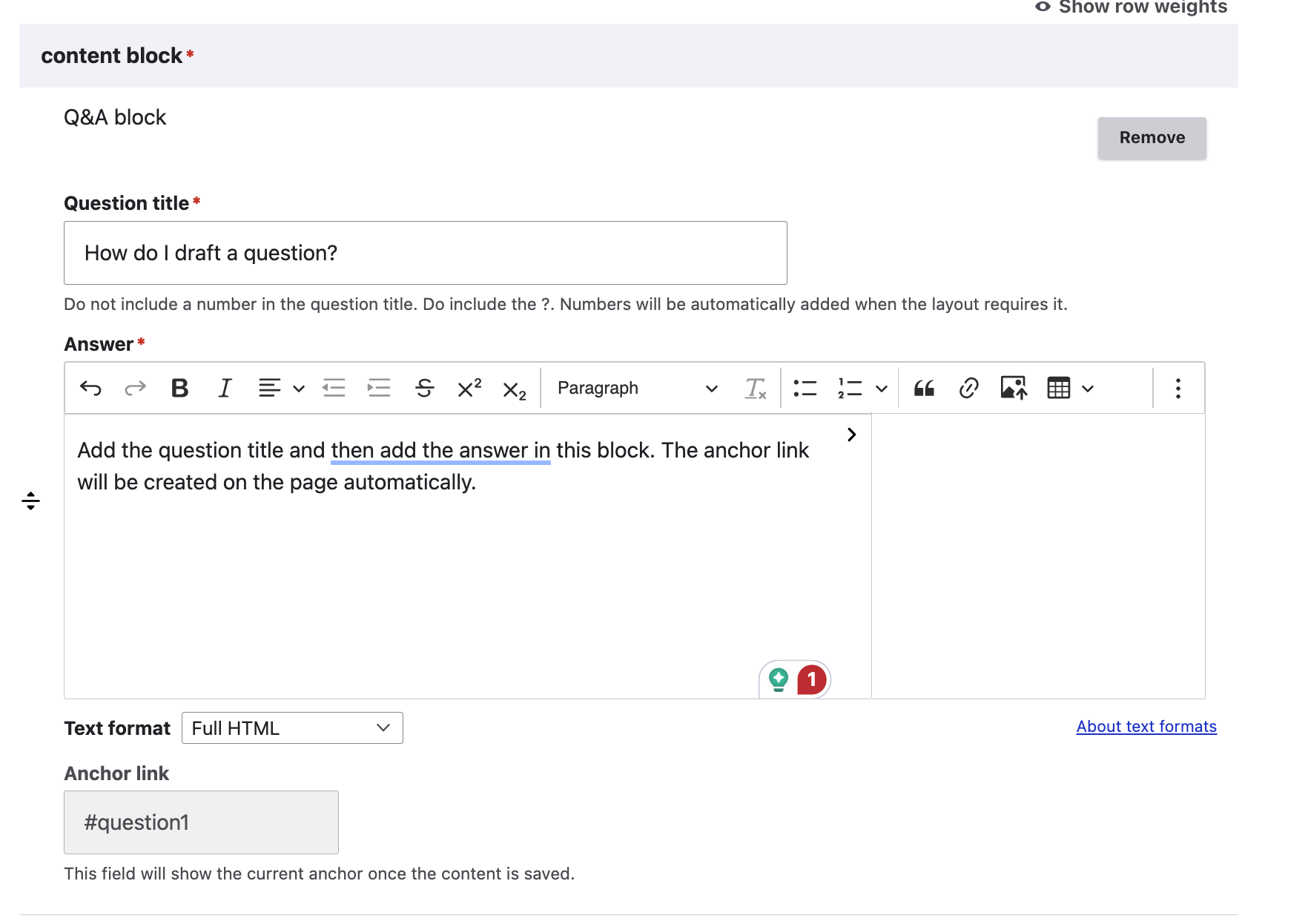
Add a question title. Titles should have a question mark at the end and should not be numbered. Any numbering will be added in the front-end interface, depending on the delivery channel.
Add the answer.
Answers should only use Headings 4 and below. Heading 3 is reserved for the question title.
When writing the answer, it should be written so that it “stands alone,” so that if a single question/answer is delivered to a user, the answer still makes sense without all of the other questions.
Acronyms used should be explained in each question/answer every time.
The anchor link will populate automatically when the content is created.
Note
if the title changes, currently the anchor link will also change. We have a ticket in the backlog to prevent the anchor link from changing once initially created to avoid breaking anchor tag links.
Viewing a Q&A block
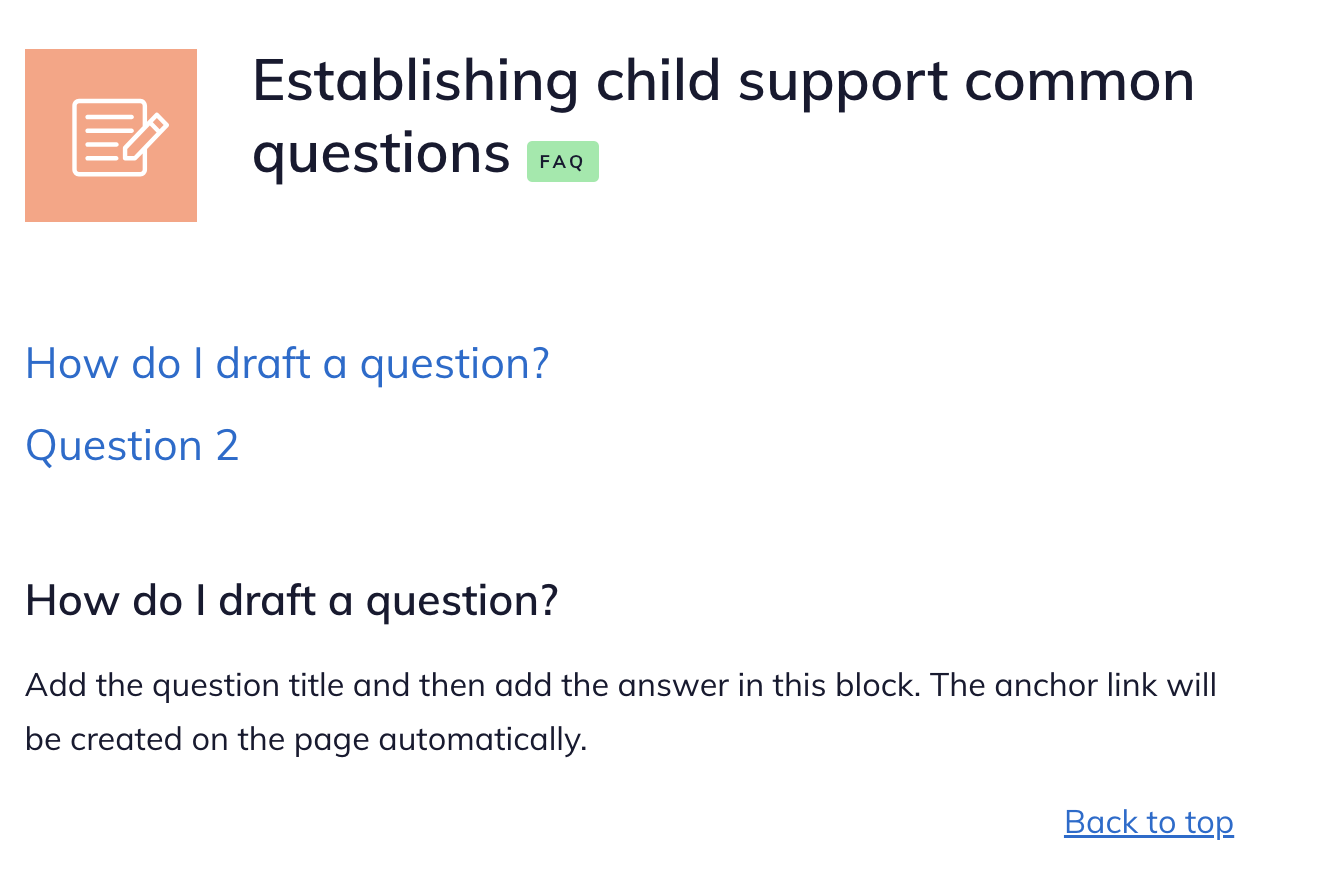
When a piece of legal content contains a Q&A block (and does not contain an automated document, IICLE, or video), it will be considered an “FAQ” and will have the dark orange pen & paper icon and the FAQ label.
The page will automatically create a table of contents at the top and include anchor tags back to the top after each question.
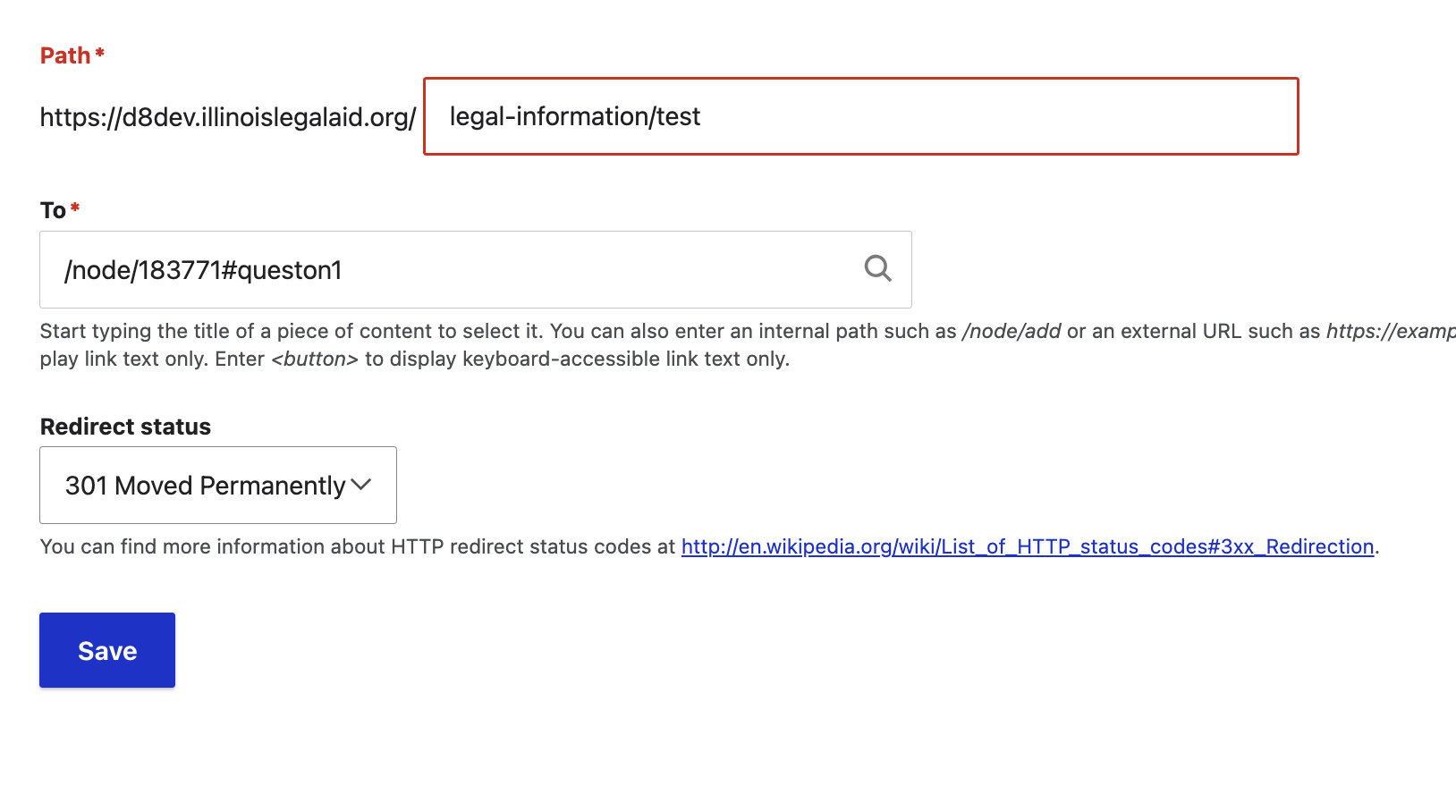
Using anchor tags in redirects
When redirecting existing content that is a standalone question to the FAQ, the preference is to redirect to the deep link.
Interaction with Guides
If an FAQ is included in the Learn More of a Guide, the Big Picture and Take Action blocks will appear on the FAQ page and the FAQ will appear on the Learn More for the Guide and related How-tos
Note
This is likely to change as we do usability testing and refine the interface for the revised content model.
Recommended / Learn more
The Learn more block is tied only to the recommendation field on the legal content.