Updating pageviews for ordering content
Pageviews is the default sort order for legal content.
Updating the page views is a multi-step process:
Pull pageviews from Google Analytics
Pull node ID/UUID data from the CMS
Pull the legal content report from the CMS
Run these 3 files through the Tableau GA-pageviews-import to create a single CSV file
Upload the CSV file on the website
Wait for the queue manager to run or manually run the queue task.
Pull Pageviews from Google Analytics
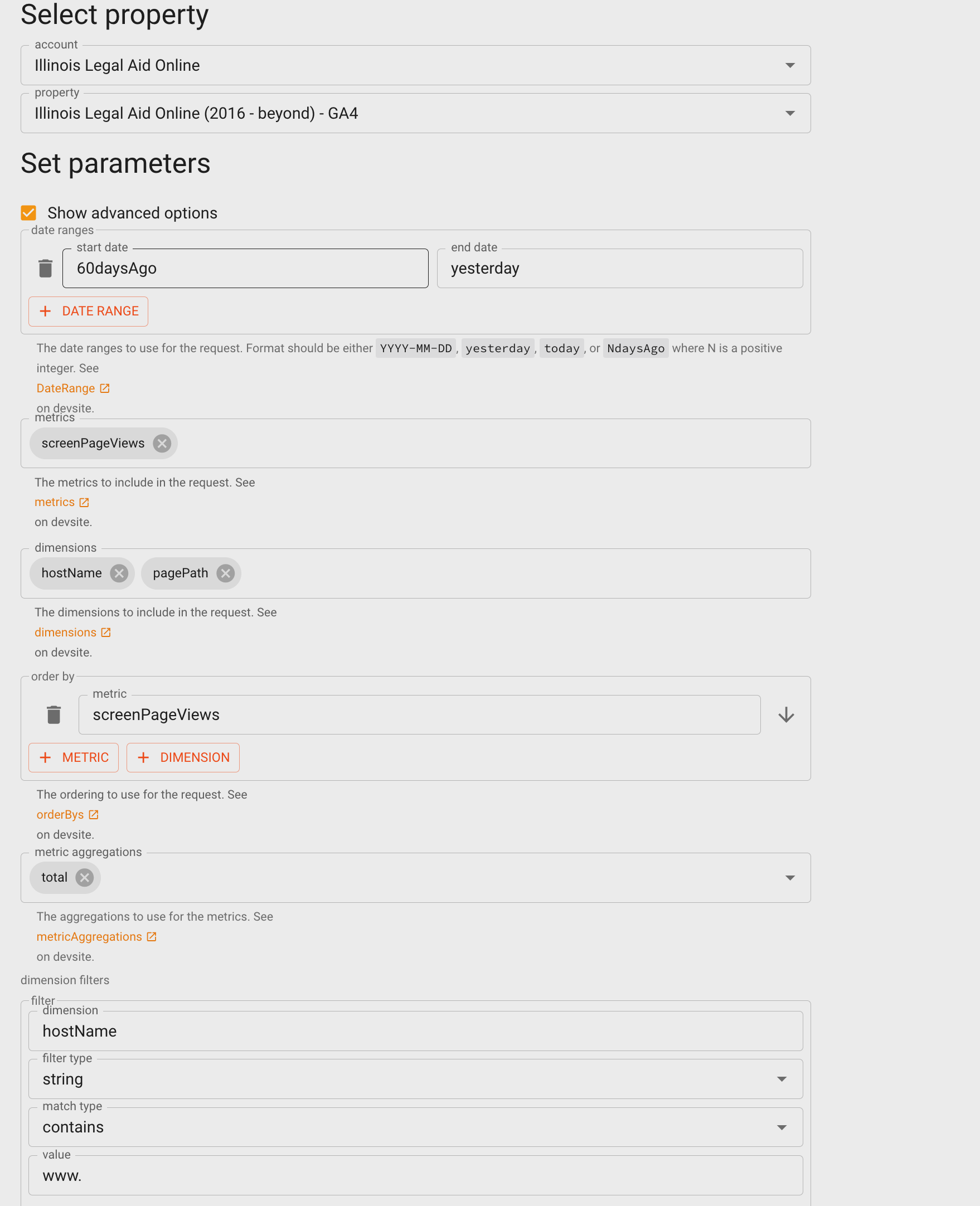
Pull CMS data
There are 2 reports that need to be run and exported to CSV to update the page views from the CMS:
Download the Legal Content UUID report as a CSV file. This includes all published legal content node IDs, their unique UUID, and page path. This report can be found at https://www.illinoislegalaid.org/admin/legal-content-uuid
Download the full Find Legal Content report
Combine the data
In Tableau prep builder:
Update the legal-content-uuid data source to use the recent export
Update the ga-data-global data source to use the most recent ga-data-global file used to do Tableau content metrics reporting
Run the flow
Open the resulting CSV file and sort by page views descending
Save the CSV
Upload the CSV to the website.
Note
Once imported, this will set up the queue manager to update page views on a scheduled basis. It may take time for this to take effect. If you need a more immediate run, please reach out to Gwen or Mike.
The resulting CSV to import should look like:

Upload the CSV
The file should be uploaded to the google-analytics-pageviews path.
Note
Once imported, this will set up the queue manager to update page views on a scheduled basis. It may take time for this to take effect. If you need a more immediate run, please reach out to Gwen or Mike.