Job postings
Anyone with the legal advocate, pro bono, or legal self-help center role can post a job on IllinoisLegalAid.org
To create a job posting
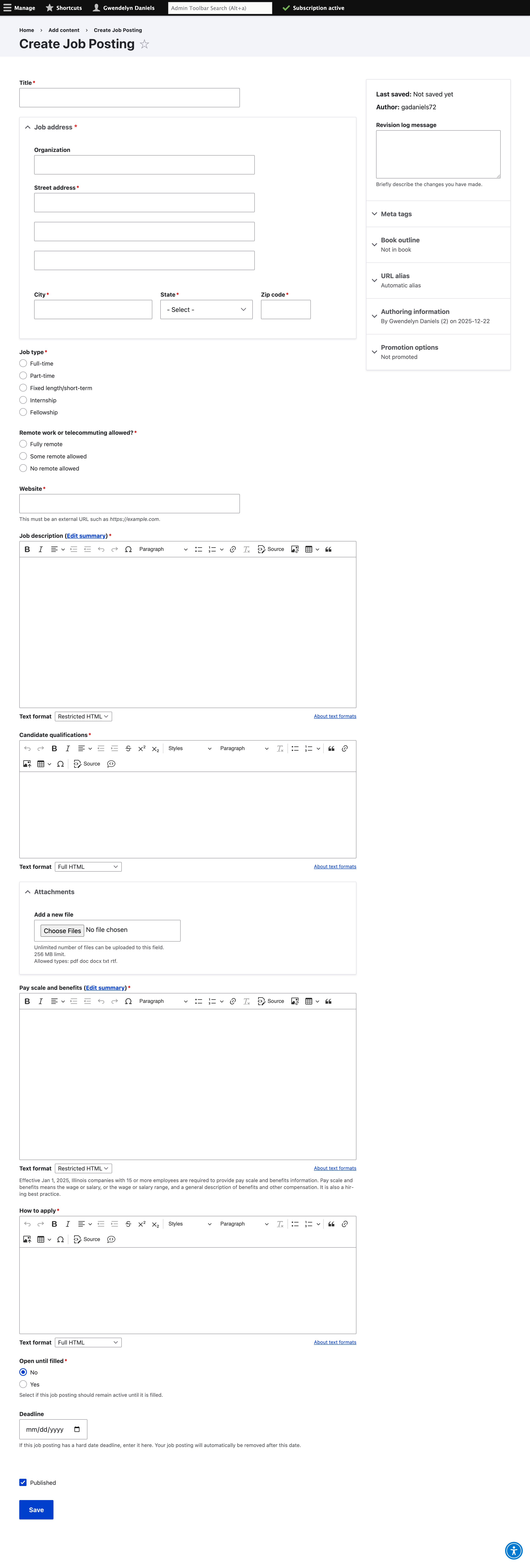
Enter a title for the Job
Enter the address for the organization
Indicate the job type - full-time, part-time, fixed length/short-term, internship, or fellowship
Indicate whether remote work or telecommuting is allowed
Describe any remote work rules
Add the organization’s website address URL
Add the job description. Click the “Remove format” icon (T with a subscript x) to remove any random formatting
Add the candidate qualifications
Upload any attachments, such as a PDF of the job posting
Add the pay scale and benefits
Provide information on how to apply
Set a deadline or mark “open until filled” to Yes
Ensure the “Published” box is checked
Click Save
Editing, unpublishing, or republishing a job
Log into your account on the website
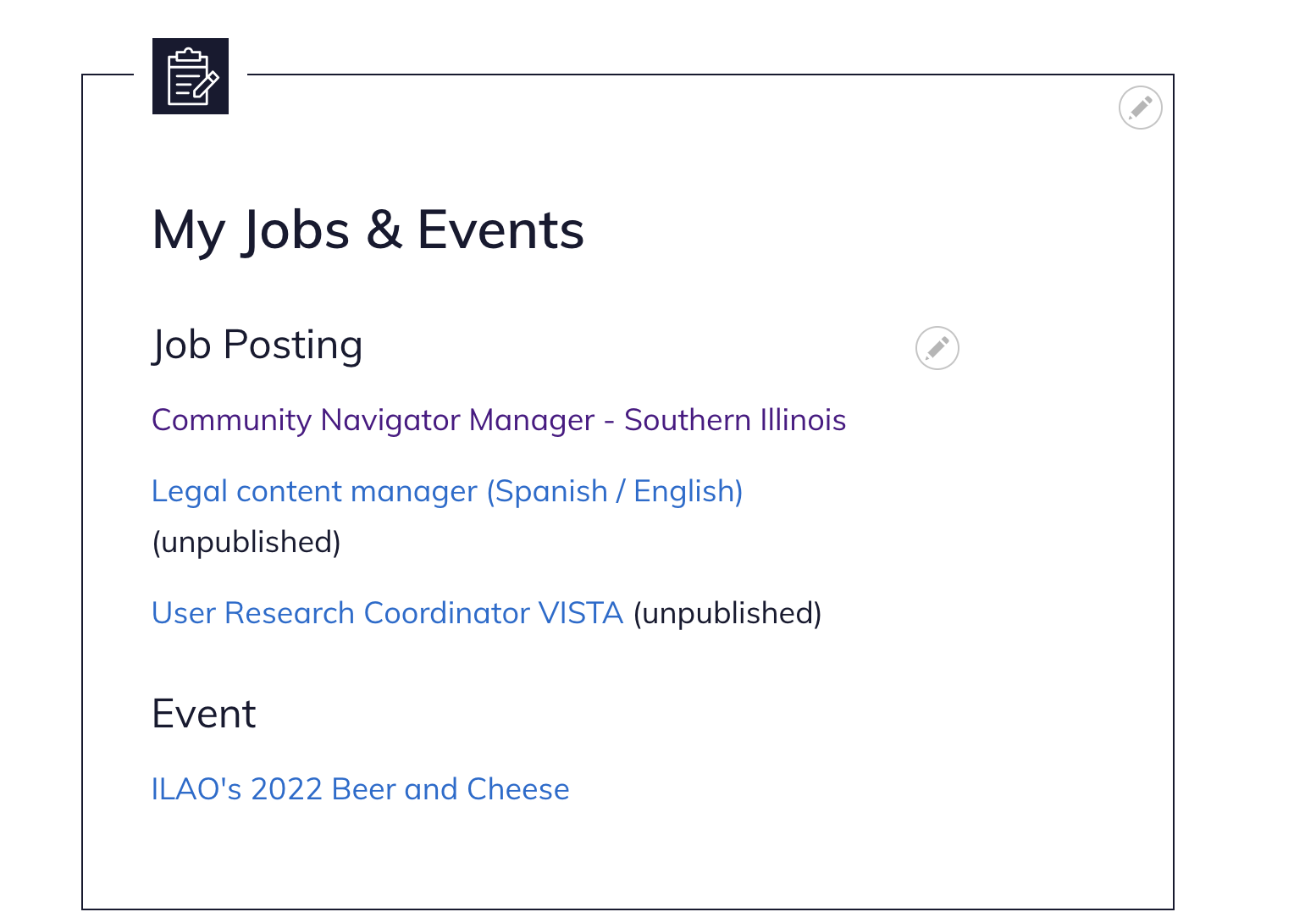
On the My account page and look for the My Jobs & Events block
Click on the job posting you want to change
Click the “Edit” button
Check or uncheck the Published checkbox
Click Save