File content
The file content type is used for files uploaded to our website (other than to blank forms; those should use the static form block).
Warning
Our preference is to link to files on other websites rather than downloading and posting on our website whenever possible.
Note
We use the file content type rather than linking directly to an uploaded file so that:
We can provide website visitors more context about why we are providing the file via a landing page
We can track the revision history to ensure that the file is appropriate, approved, and tracable over time and across different staff
We can update links that are used in multiple articles more easily if the file location changes.
Creating file content
To create file content, add a “File (non-form)” content block.
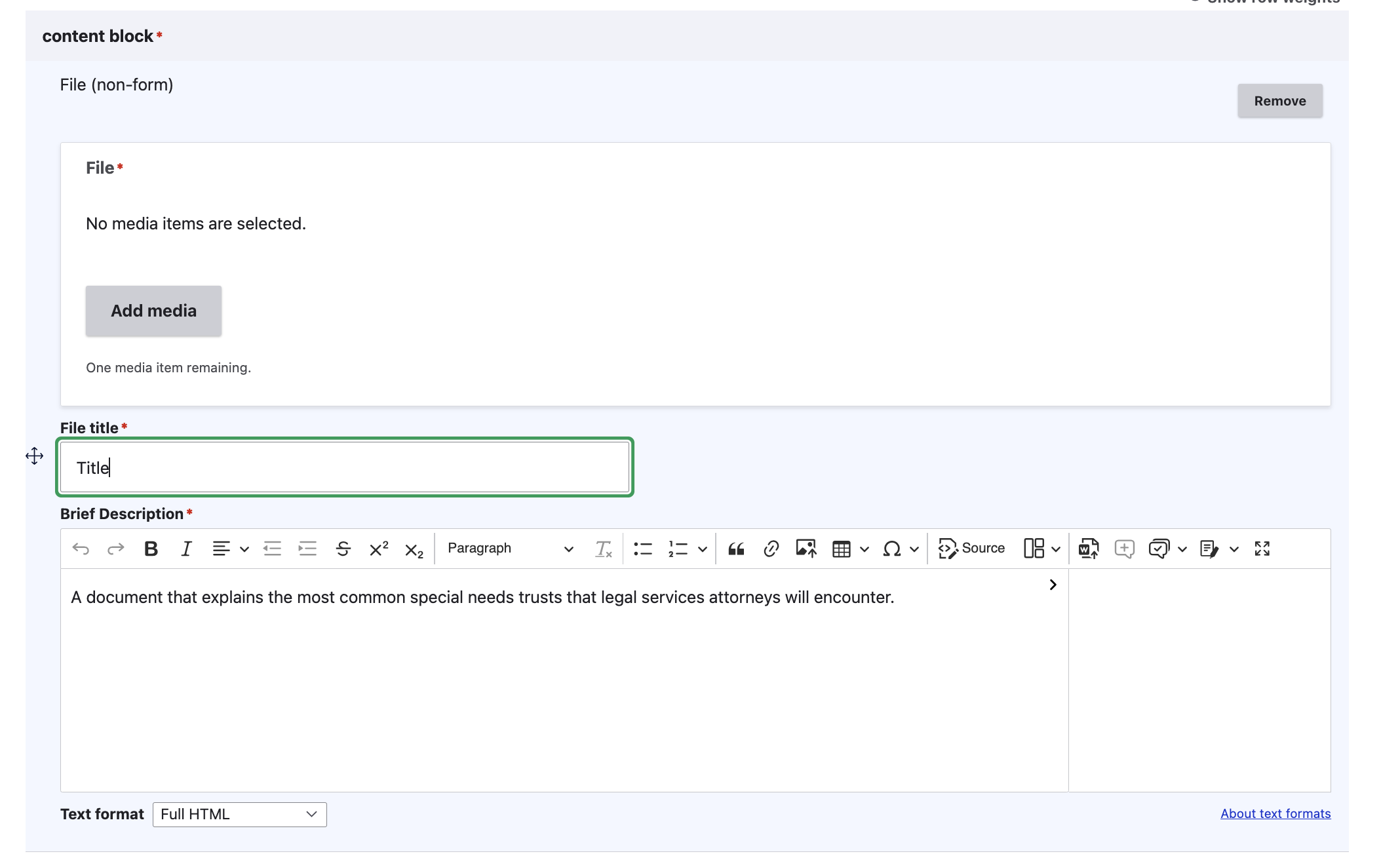
Provide:
the file using the media library
a file title
A description. This will provide text for the page.
Viewing file content
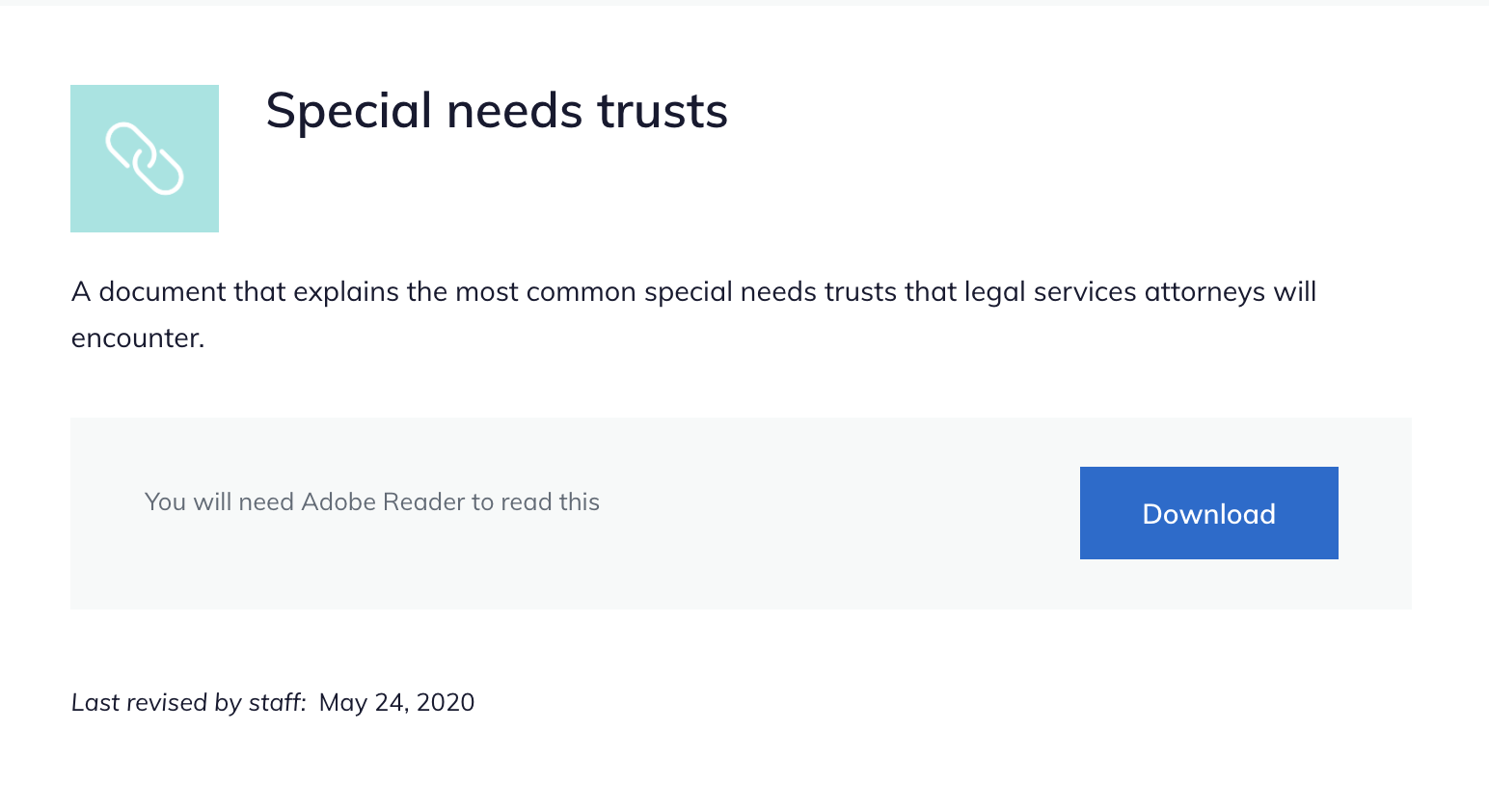
When viewed, the description appears above the file block.
The file block contains the text “You will need [x] to read this” and a Download button.