4. Updating Twilio for new legal issue
4.1. Step 1: Update functions
4.1.1. Update the “get process” function
Open the get-process-list function in the guided-nav function under Functions->Services in Twilio. There is a case function that contains each of the legal issues supported by the application.
Note
For best results, copy the code to a text editor first in case you need to undo your changes.
case "1": //unemployment
processid = "9fa873d0-55b8-11eb-939c-0e8d40a13cd5";
lsc_code = "76 Unemployment Compensation";
search_term = "afa23f49-7a9d-4caf-b9ac-63da005dc20a";
content_url = "https://www.illinoislegalaid.org/legal-information/unemployment-benefits";
rest_export = "https://www.illinoislegalaid.org/rest/unemployment-cases";
break;
For each legal issue there is:
A case with a number. This matches the number from the SMS widget that asks the user to select their problem. Adding a new one should be added after the last one with the next sequential number.
processid: this is the unique process id from Legal Server;
lsc_code: this should be the string that matches Legal Server’s incoming values for Legal Problem Code list;
search_term: this is the id for the legal issue taxonomy term. You can find this by going to https://www.illinoislegalaid.org/jsonapi/taxonomy_term/legal_issues?filter[foo][condition][operator]==&filter[foo][condition][path]=drupal_internal__tid&filter[foo][condition][value]=514486 (replace the id at the end for the actual term id; then grab the id.;
content_url: this should be a landing page for sending a user when they exit the system for a legal topic;
rest_export: this is the url for the rest export of the related case acceptance view for the legal issue;
break: be sure to end the legal issue with “break;”
To add a new issue: * Add a new case statement with the new information * Save and deploy the updated function * Test that the process id is returned. In a browser, open https://guided-nav-1608.twil.io/get-process-list?issue= and append the new number (1,2,3 etc). It should return json like the following:
{"processid":"9fa873d0-55b8-11eb-939c-0e8d40a13cd5",
"lsc_code":"76 Unemployment Compensation",
"search_term":"afa23f49-7a9d-4caf-b9ac-63da005dc20a",
"content_url": "https://www.illinoislegalaid.org/legal-information/unemployment-benefits",
"rest_export":"https://www.illinoislegalaid.org/rest/unemployment-cases"}
Warning
If you get anything other than JSON, you have an error. If you can not find it quickly, undo your changes and ask Gwen for help.
4.1.2. Update the “”validate process” function
In the validate-legal-issue-gn function, there is an array of numbers that are valid input for the list of legal issues. This needs to be updated to include the newly added number from the case statement.
valid_numbers = ["1","2","3","4","5","6"];
There is also a series of if statments that can be used for some natural language processing. You can add new variations by copying and pasting the code below and replacing the ‘tanf’ with whatever string you want to match against and updating the response = to the number that corresponds to the legal issue in the list.
 if (legal_issue.includes('tanf')) {
  response = 3;
}
Warning
All text to search for in the .includes function should be lower-case.
4.2. Step 2: Update the Studio Flow
In the OTIS flow:
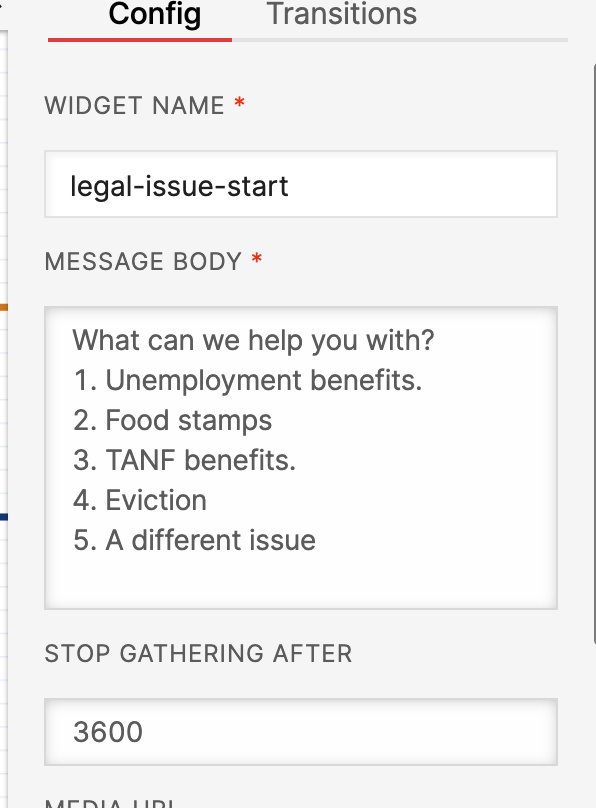
Step 1: Add a number and label for the legal issue. This should match the number added in step 1. Eviction should be moved down a number as needed.
Step 2: Update the legal-issue-split widget to:
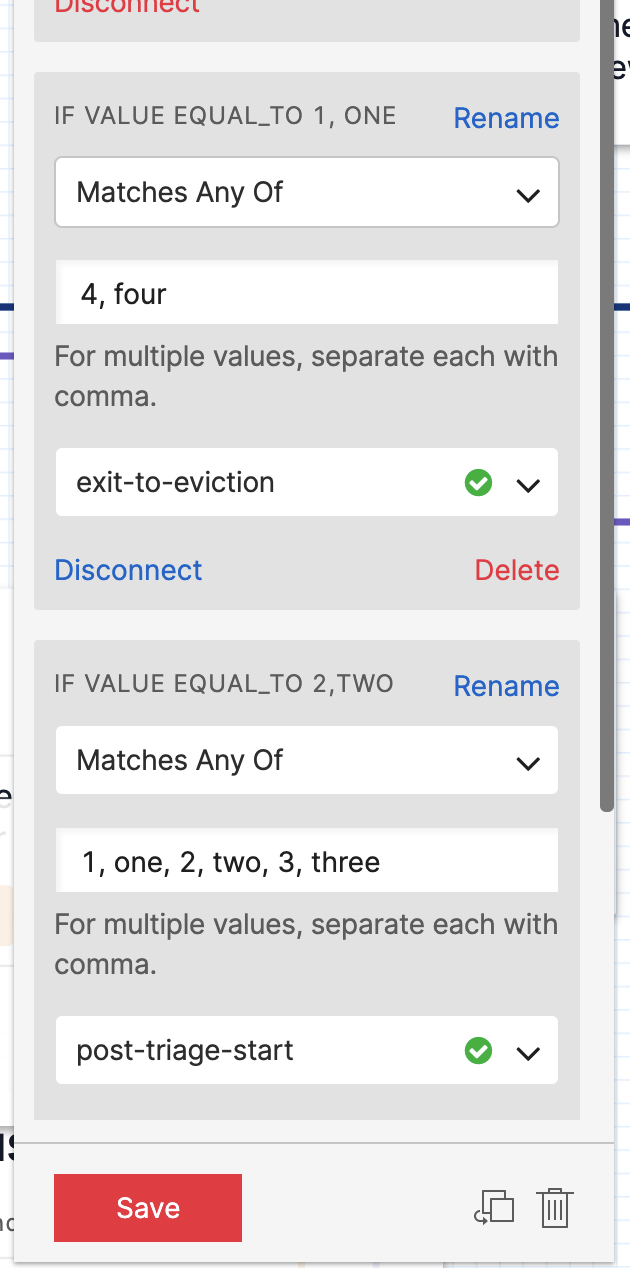
add the number to the post-triage-start route; this will include it in Guided Navigation
if you moved eviction from 4 to another number, update the exit-to-eviction message.